




TGI Maritime Software launches «Hazardous» and «Yard Management» modules
Prohibitions
The “Hazardous Management” module has been developed to manage and set entry, allotment, berth and stacking prohibitions. It also manages maximum plane heights constraints and storage restrictions.
Segregation constraints
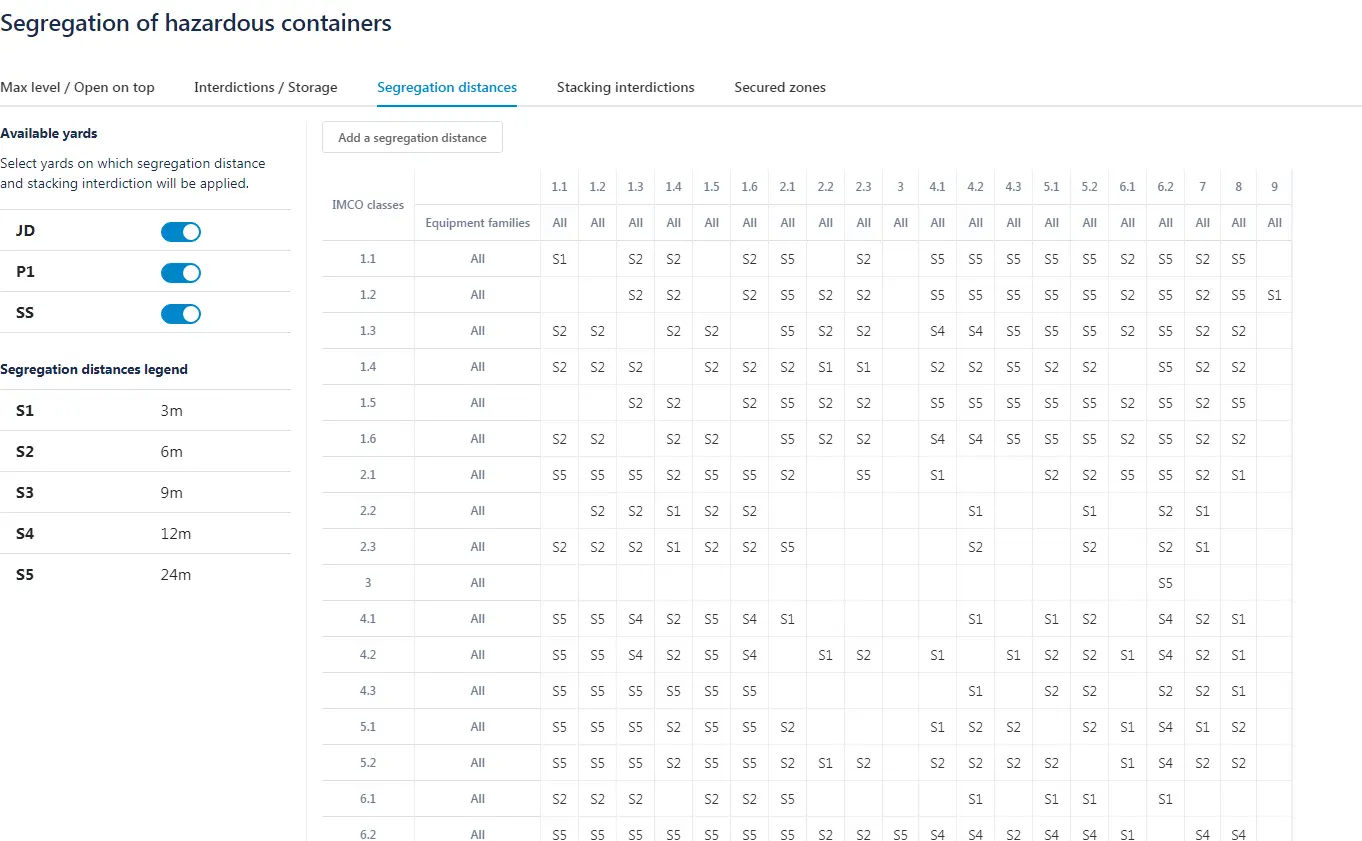
Users can also visualize and configure segregation distances between hazardous containers, configurable from two sets, IMCO Class and Equipment Family.
Two complementary modules
Segregation distances calculations require to visualize containers in a yard at scale and in real time. That’s why the “yard” completes the “Hazardous Management” module.
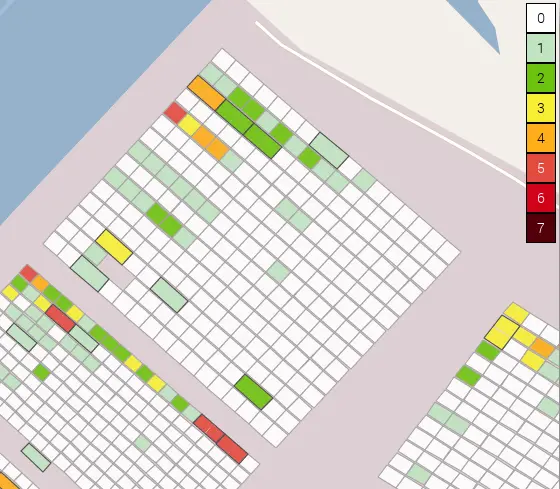
Scaled visualization and real-time control
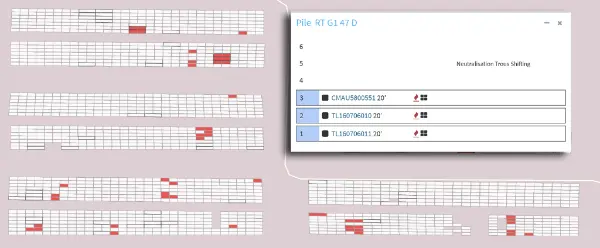
Users access to a top-down view of the yard, and graphic views of the stacks/bays/spans
containing containers information. The yard map allows containers location, complete history of container movements, missions’ information displaying, stacks and spans details and devices assignments access.
Targeted searches and Excel extractions
Users can precisely search a container or a list of containers, one or more missions using a multi-criteria form. Data extraction can be done via Excel or graphically. Users also access the occupation rate of each yard zone.
Real-time actions on missions
The Yard module allows current and on hold missions visualization via a complete dashboard. With this table, users can modify destination allotments, delete or reassign a mission from one equipment to another. It is also possible to change missions priority, block or unlock them, or change their status.